Usage Report
The Usage Report provides additional information in regard to click usage. A click occurs any time you have entered a policyholder’s address and geocoded the address. You may click on the arrow keys on one or more rows to sort the column in ascending or descending order.
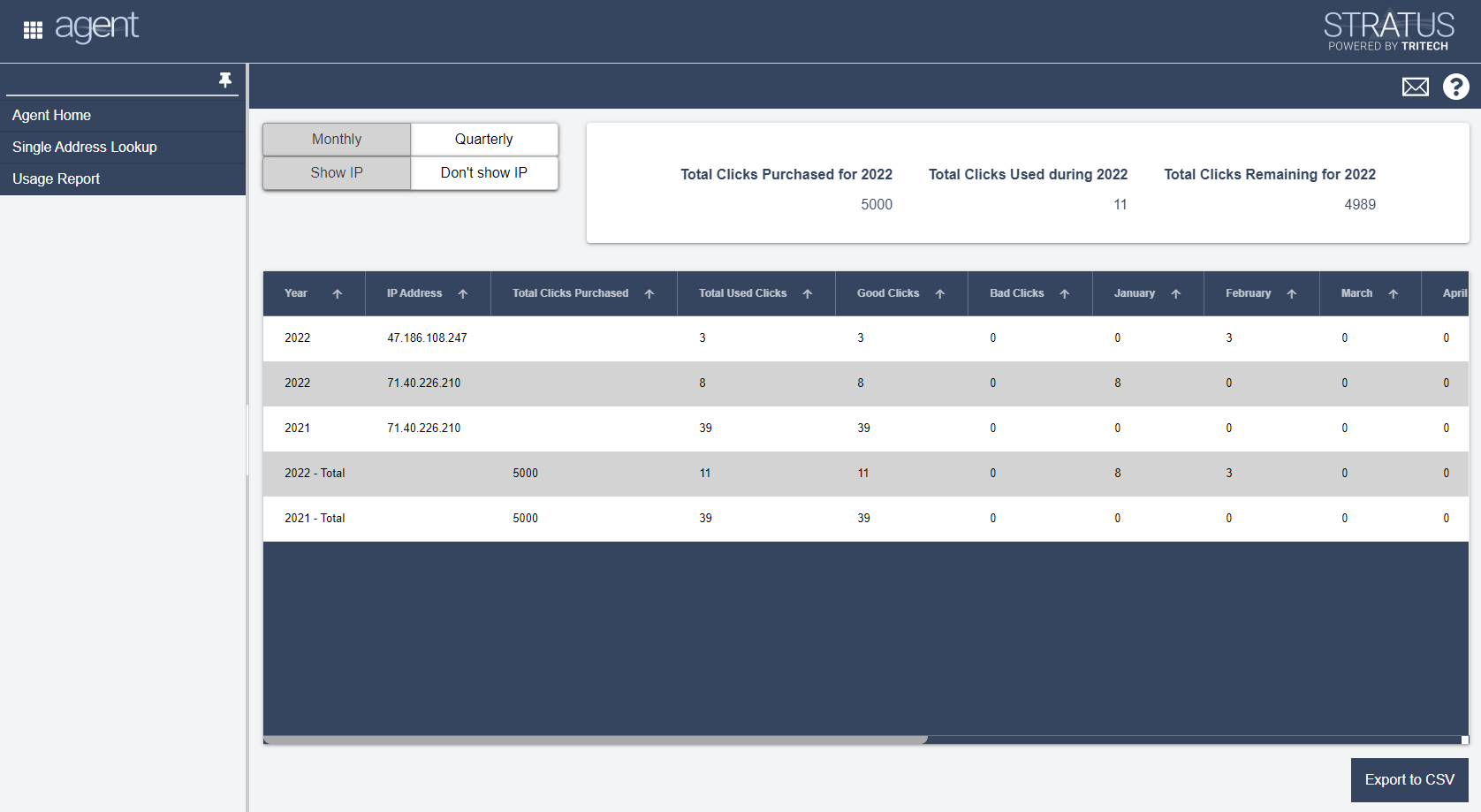
Year: The year for which clicks are being counted. The year will appear multiple times if Agent is accessed from more than one IP Address. The total number of clicks coming from all IP addresses for each year is also displayed.
IP Address: Your company’s outgoing IP address is displayed here.
Total Clicks Purchased: The number of clicks purchased for the calendar year.
Total Used Clicks: A click occurs each time you geo-code an address. When Total Used Clicks exceed those purchased, you will no longer be able to geocode an address.
Good Clicks: The number of clicks that return a matching address.
Bad Clicks: The number of clicks that do not return a matching address.
January thru December: The number of total clicks used during the month.
By default, this report will display monthly click information and click information from each outgoing IP Address. Select the quarterly button to view the information by each quarter. Select the Don’t show IP address button to hide the information for clicks from each IP address.