Agent Home Page
On the-left hand side of the Agent Home Page you will see a navigation control that consists of Agent Home, Single Address Lookup, and Usage Report. You can use the navigation control to toggle back and forth between web pages.
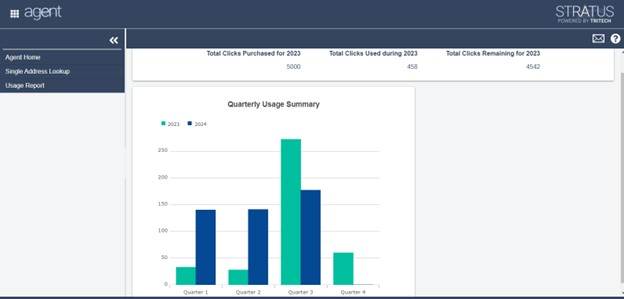
The home page displays the number of clicks purchased for the current year, the number of clicks used and the number of clicks remaining. A click occurs any time you have entered a policyholder’s address and geocoded the address. When the total clicks remaining approaches zero, you will need to purchase additional clicks.